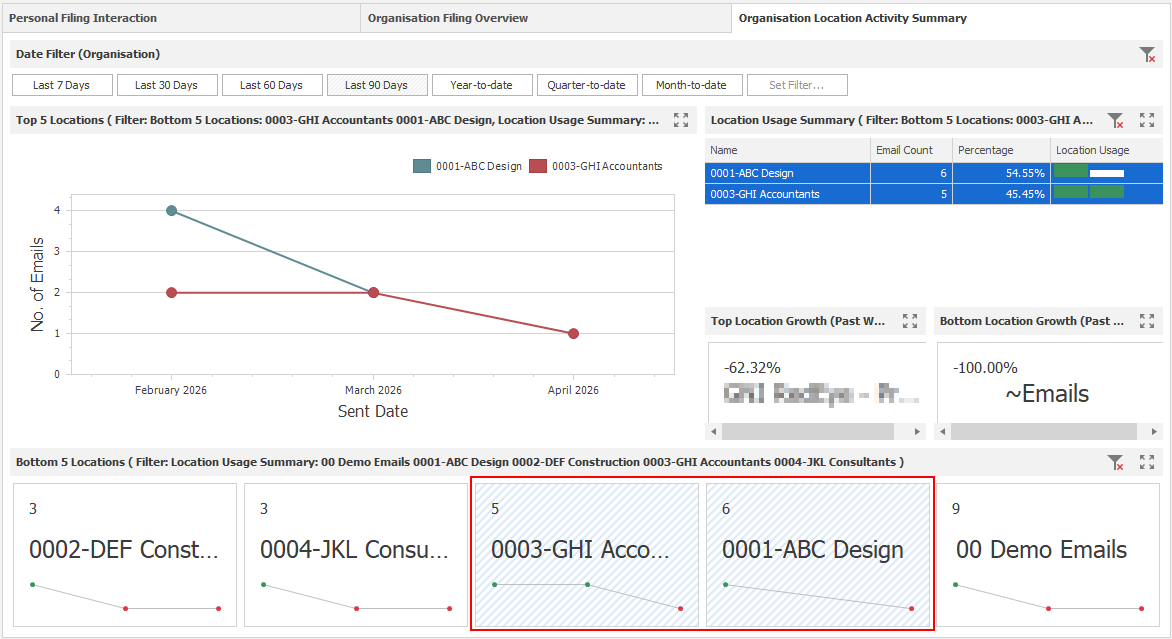
Bottom 5 Locations Chart
The “Bottom 5 Locations” cards displays information about the five least-used locations across the organisation. The time frame can be adjusted using the “Date Filter (Organisation)”, which is set to “Last 7 Days” by default.
Filters can also be applied to other charts in the Organisation tabs to refine the results and display the bottom five locations for a specific selection.
Please note that all applicable charts in the "Organisation Filing Overview" tab will also be affected by this selection.

Multiple locations can be selected by holding Shift and clicking the cards you want to filter.
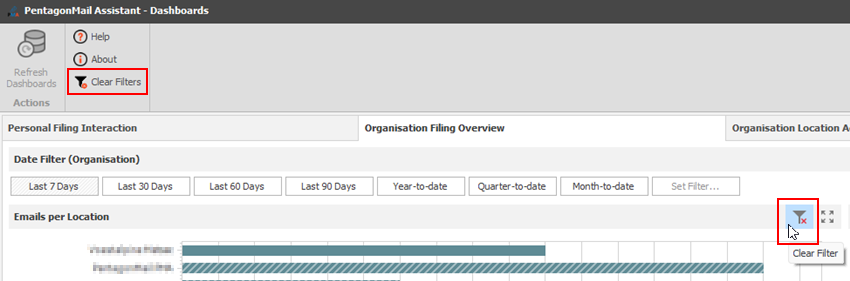
To restore all information after filtering, you can click the “Clear Filter” button on the chart or the main “Clear Filters” button. Please note that the “Clear Filters” button removes all filters applied across all charts on both Organisational tabs, except for the “Date Filter (Organisation)”.