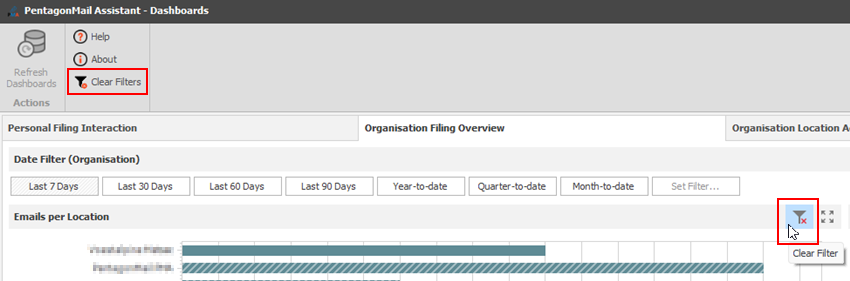
Provider Usage Percentage Chart
The “Provider Usage Percentage” chart displays a breakdown of filing provider usage across the organisation. The time frame can be adjusted using the “Date Filter (Organisation)”, which is set to “Last 7 Days” by default.
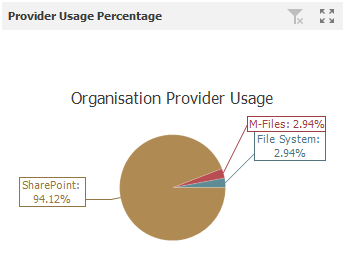
Selecting a slice in this chart will display the corresponding details in the "Emails per Location" and "Emails by Domain" charts. The "Filter Domains" list will also update to show only the relevant items.
Please note that all applicable charts in the "Organisation Location Activity Summary" tab will also be affected by this selection.
Multiple slices can be selected by holding Shift and clicking the slices you want to filter.
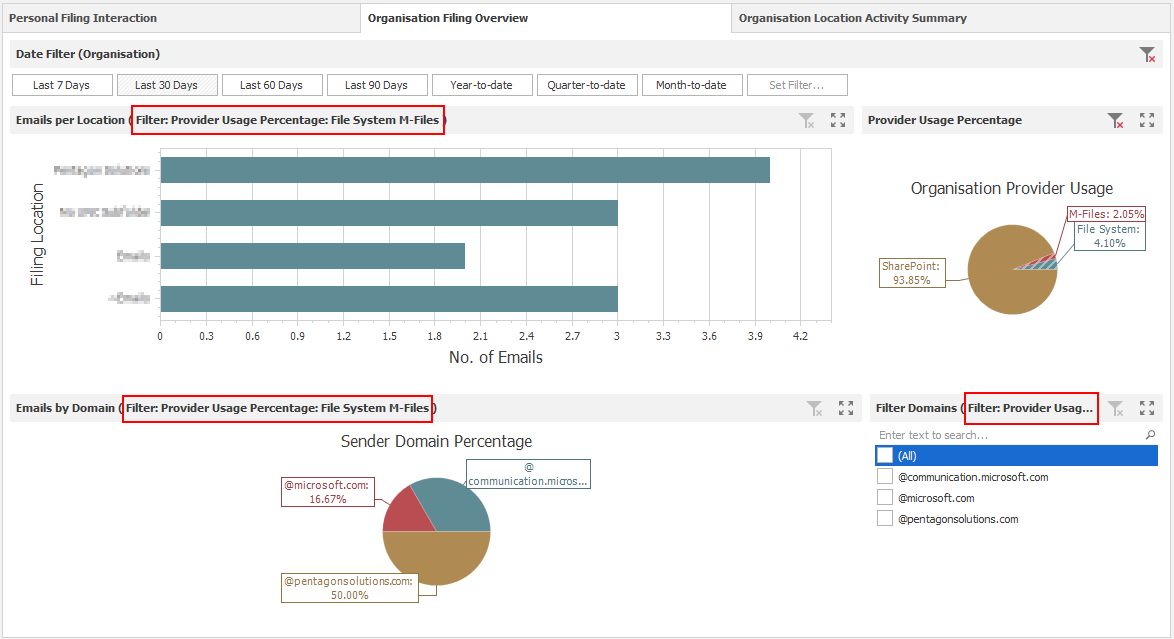
To restore all information after filtering, you can click the “Clear Filter” button on the chart or the main “Clear Filters” button. Please note that the “Clear Filters” button removes all filters applied across all charts on both Organisational tabs, except for the “Date Filter (Organisation)”.