Search - Settings
The search settings can be accessed by clicking the Settings button at the top of the Search Tool. As shown below:

You will be presented with this window
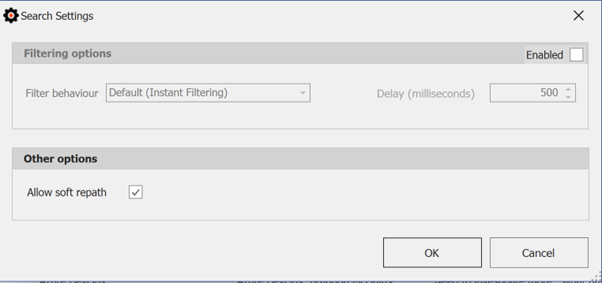
Filtering options
When this option is Enabled, it will allow you to change how the filter is triggered.
Filter Behaviour
- Default (Instant Filtering): Applies filters immediately as the criteria are entered or updated.
- Filter After Delay: Applies the filter after a specified delay (see the "Delay" setting). Useful if you want to avoid frequent updates while typing.
- Filter on Enter: Applies the filter only when the "Enter" key is pressed. This option provides more control over when the filtering is applied.
Delay
This will change how long you have to wait before the filter will apply. This value is in milliseconds so, for example, 500 ms would equate to a 0.5 second delay.
Note: From PMA version 5.0.238.0 onwards, with the introduction or several improvements to the search engine, search results are instantly filtered and the "Filtering options" section was made obsolete and removed.
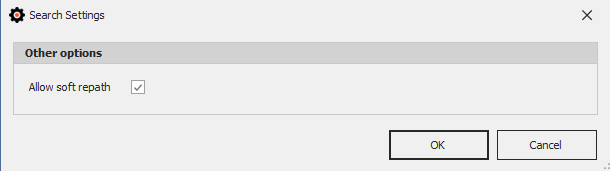
Other options
This will allow to adjust other settings related to the Search Tool.
Allow soft repath
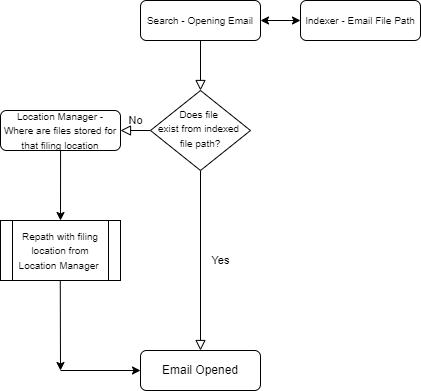
This option will handle the situation where the stored filing location has been moved.
For example, if you had a project which stored its emails in p:/Project_A and once the project is closed off, the .msg files get moved to drive x:/Project_A. The indexer does not know where these files have been moved to.
The indexer will ask the location manager where these files are now being stored and repath the location to the new folder path on the fly. This is "soft" repathing as it does not update the index, meaning that when the search tool is closed, the repathing is discarded.