
Workflow Create PDF Rendition
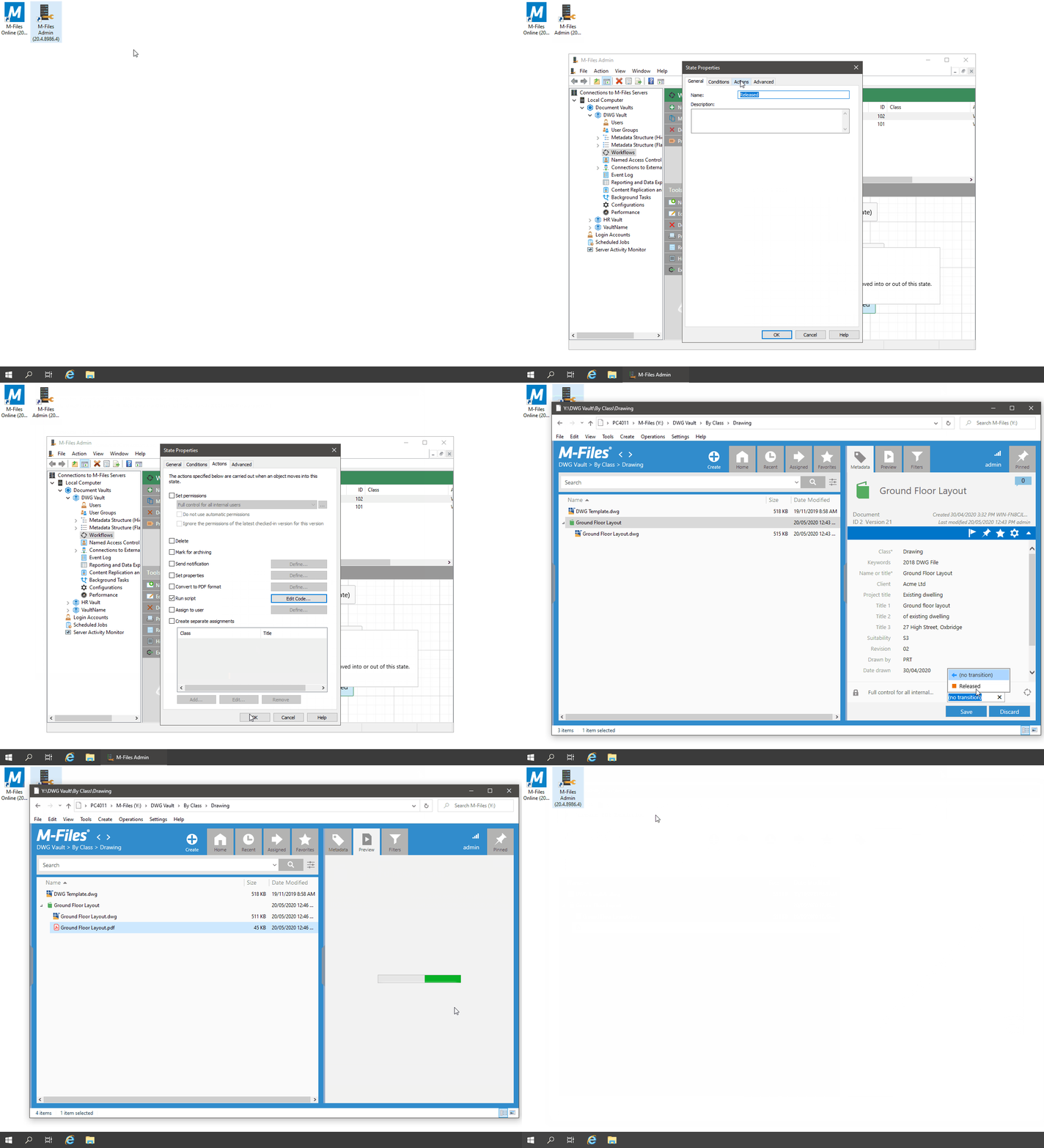
In this example we will use the DWG Processor CreatePDFRendition method to generate a PDF on a workflow state change. To do this we will add code to the workflow State Actions.
Example
- Open the M-Files Admin, then expand 'Connections to M-Files Servers\Local Computer\Document Vaults'
- Expand out the desired vault and select the 'Workflows' node
- Configure a simple workflow as shown
- Double-click the state on which you want to generate the PDF (e.g. Released)
- In the 'State Properties' dialog, select the 'Actions' tab
- Check the 'Run Script' option, then click the 'Edit Code' button
- In the 'Edit VBScript Code' window, add the following code:
'create ExcitechDOCS DWG Processor object
Set dwgProcessor = GetExtensionObject("ExcitechDOCS.DWGProcessor")
'create PDF Rendition
dwgProcessor.CreatePDFRendition Vault, ObjVer, ActivityID
'set modifying user
dwgProcessor.SetModifiedBy Vault, ObjVer, CurrentUserID

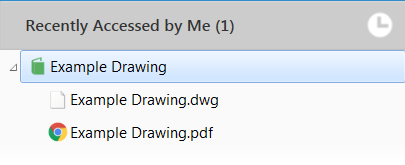
When moving a DWG file to the Released workflow state, a PDF file is added or updated. If the object was a Single File Document (SFD), it is automatically converted to a Multi File Document (MFD).
The resulting log file would contain the following information:
01/01/2019 09:00:00:3701 - Create PDF Rendition
01/01/2019 09:00:00:3761 - DWG File Count: 1
01/01/2019 09:00:00:3771 - Creating ODA COM Object. (dllhost.exe)
01/01/2019 09:00:00:4371 - Call CreatePDFRendition COM method.
01/01/2019 09:00:01:1101 - Processing Object: ID 1 Version 14
01/01/2019 09:00:01:1411 - FileVer: ID 1 Version 5
01/01/2019 09:00:01:1421 - Download DWG to temp file: C:\ProgramData\Excitech Docs\DWG Processor\Temp\31dheqpl.dwg
01/01/2019 09:00:01:1871 - Open DWG file
01/01/2019 09:00:01:5512 - Repath References
01/01/2019 09:00:01:8082 - Plot Settings
----------------------------------------------------------------------------------------------------------------------------------
Plot Layout: A1
Plot Type: Layout
Plot Centered: False
Paper Rotation: _90degrees
Paper Origin: 0.00, 0.00
Paper Size: 594.06, 841.04
Paper Units: Millimeters
Paper Margins: (Top): 3.17 (Left): 3.17 (Right): 3.17 (Bottom): 3.17
----------------------------------------------------------------------------------------------------------------------------------
01/01/2019 09:00:01:8152 - Exporting PDF
01/01/2019 09:00:01:9464 - Delete temp files from server
01/01/2019 09:00:02:0032 - Convert Object to MFD.
01/01/2019 09:00:02:0182 - Upload generated PDF file
01/01/2019 09:00:02:0532 - Delete temp PDF file from server
01/01/2019 09:00:02:0542 - Releasing COM object.