
Licensing & Setup
PMA Admin Dashboards is a licensed feature available as an optional add-on through the PMA Licensing Portal.
Access to this feature, including visibility within the portal, is restricted to users with Contract Administrator privileges (either Primary or Secondary Contract Admin roles).
The feature provides enhanced administrative dashboard capabilities designed to support improved visibility, reporting, and management within the PMA environment.
If your company has subscribed to this add-on, please follow the below steps to start the effective upload of the necessary data and decide which locations/groups to exclude from the analytics.
IMPORTANT NOTES:
Please note this functionality is only available from PMA version 5.0.239.0 onwards. Install this version or above before attempting the steps below.
Only data from users who have completed the steps below will be available for analysis.
1. Update your PentagonMail License:
For your local installation to recognize your elevated rights, the license needs updated.
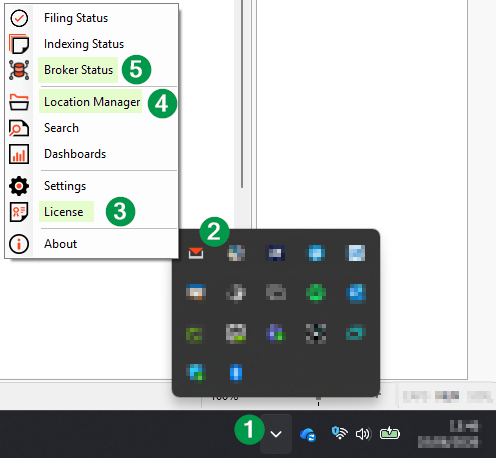
Please access the system tray, click the PentagonMail Assistant icon and then choose "License" (3).
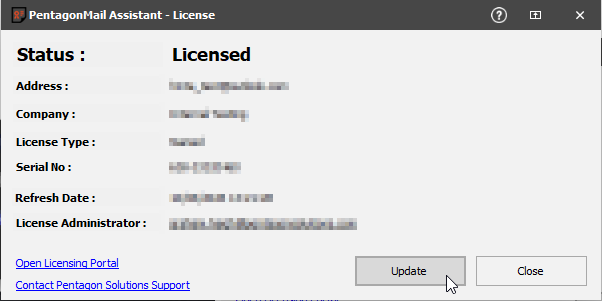
Click "Update" in the License dialog and then close it.
2. Choose which Locations/Groups to Exclude from Analytics:
By default, all PMA locations are included in Analytics. However, if you need to exclude certain locations - for example, because they are confidential, are being used for testing purposes, or are otherwise not applicable - you can easily exclude them from Analytics.
Please access the system tray, click the PentagonMail Assistant icon and then choose "Locations Manager" (4).
Excluding all locations within a filing group:
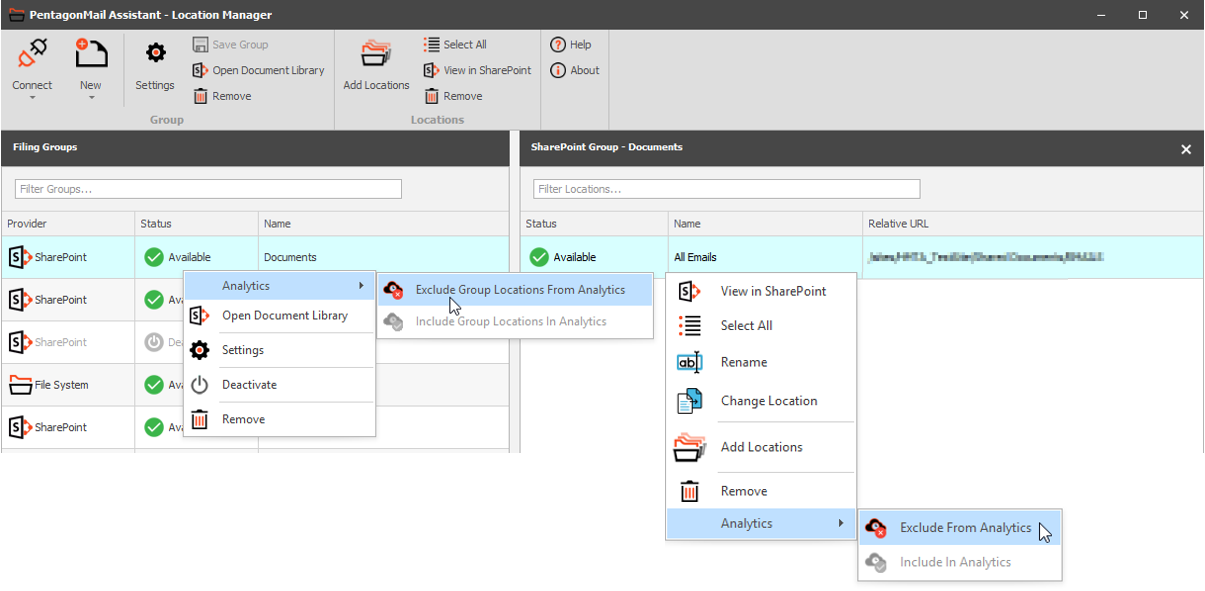
- Right-click the filing group.
- Select Analytics.
- Choose Exclude Group Locations From Analytics.
Excluding individual locations:
To exclude a single location or multiple locations within the same filing group:
- Select the required location(s). To select multiple locations, use Shift or Ctrl.
- Right-click the selection.
- Choose Exclude From Analytics.
Re-including locations in Analytics:
If a filing group or location has been excluded by mistake, or if it needs to be included again, follow the same steps described above and select one of the following options as appropriate:
- Include Group Locations In Analytics
- Include In Analytics
3. Start Analytics:
Once your selection is complete, you are ready to begin uploading your filing activity to your company's dedicated Analytics dashboard.
Access once again the system tray, click the PentagonMail Assistant icon and then choose "Broker Status" (5).
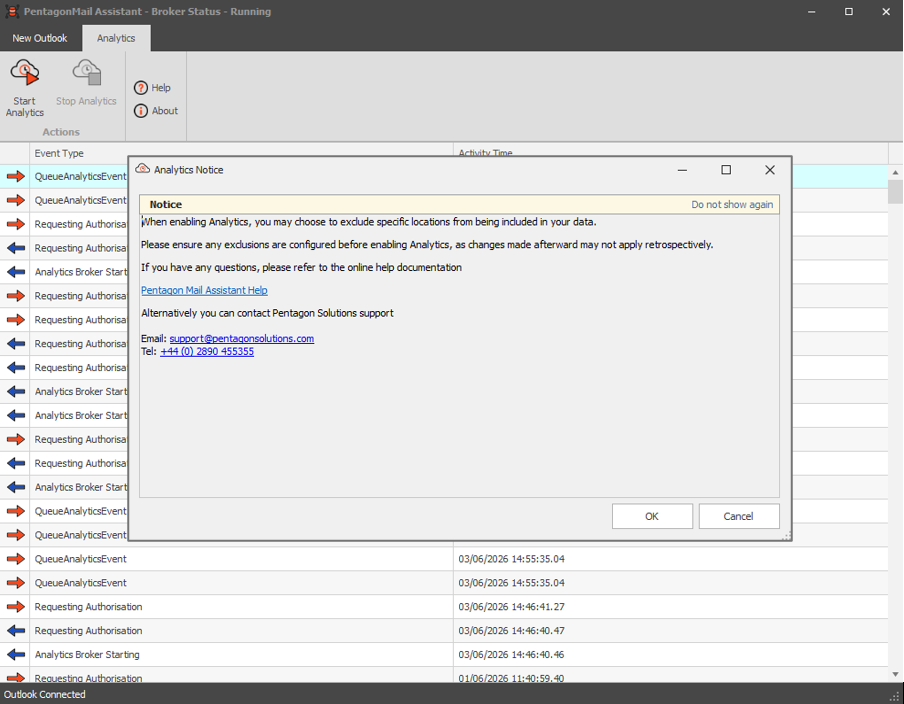
Access the "Analytics" tab and choose "Start Analytics". A notice will be displayed, please read it carefully and, when you are happy to proceed, click OK.
Analytics is now enabled, and your filing activity will be recorded and made available for analysis by your organisation's PentagonMail Assistant contract administrator(s).
If you would like to learn more about PMA Admin Dashboards, discuss its functionality in greater detail, or add it to your existing PMA subscription, please contact our Commercial team at info@pentagonsolutions.com or +44 (0) 2890 455355