Search - Sorting and Resetting Search
Each time the Search tool is launched, the results are sorted by sent date, with the newest messages shown at the top of the list.
To sort by a different column, click the relevant column header. If the sort order is not as desired, click the header again to change the sort direction.
The icon indicates both the column currently being used for sorting and the sort direction.
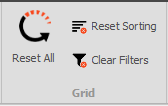
If things get a bit messy or you just want to start fresh with sorting and filtering, simply click the "Reset All" button to discard any custom filtering and sorting applied during your session.

For finer control, instead of using "Reset All", you have options to only reset sorting or filtering.
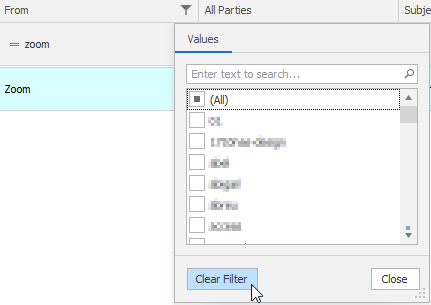
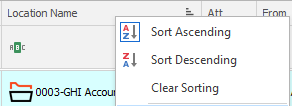
This can be achieved by right-clicking the column headers and selecting "Clear Sorting", or by clicking the Filter icon and choosing "Clear Filter", as shown below.
Additionally, in the Grid section of the ribbon, you can use the "Reset Sorting" and "Clear Filters" buttons to achieve the same result.